Introduction
This guide explains the primary interface of the trek8 tour management system.
1. Header
Utilities located at the top right of your screen.

Quick access to the help center.
Switch between supported languages (e.g., English, Turkish, French).
Account settings, membership info and logout for the active session.
2. Menu Items
Access core platform modules from the left-hand navigation.
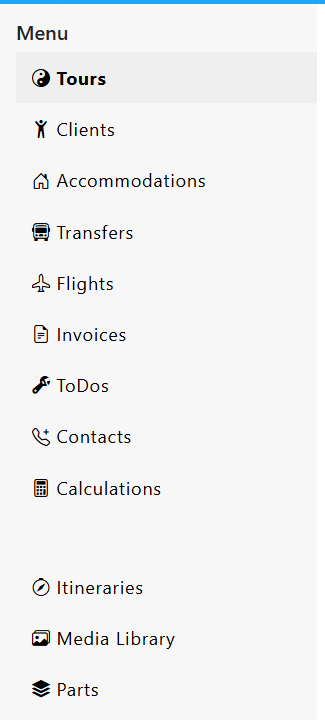
- Tours
- Clients
- Accommodations
- Transfers
- Flights
- Invoices
- ToDos
- Calculations
- Itineraries
- Media
- Itinerary Parts
3. Buttons
Utilities located at the top right of your screen.

Create new tour.
Access to calendar view of the tours.
Download tours in excel format.
List view of past tours.
4. High-Level Stats
A snapshot of your current operations volume.

Tours Summary
Total tours, upcoming tour counts, and past tour history.
Client Summary
Total volume of past, current, and upcoming travelers.
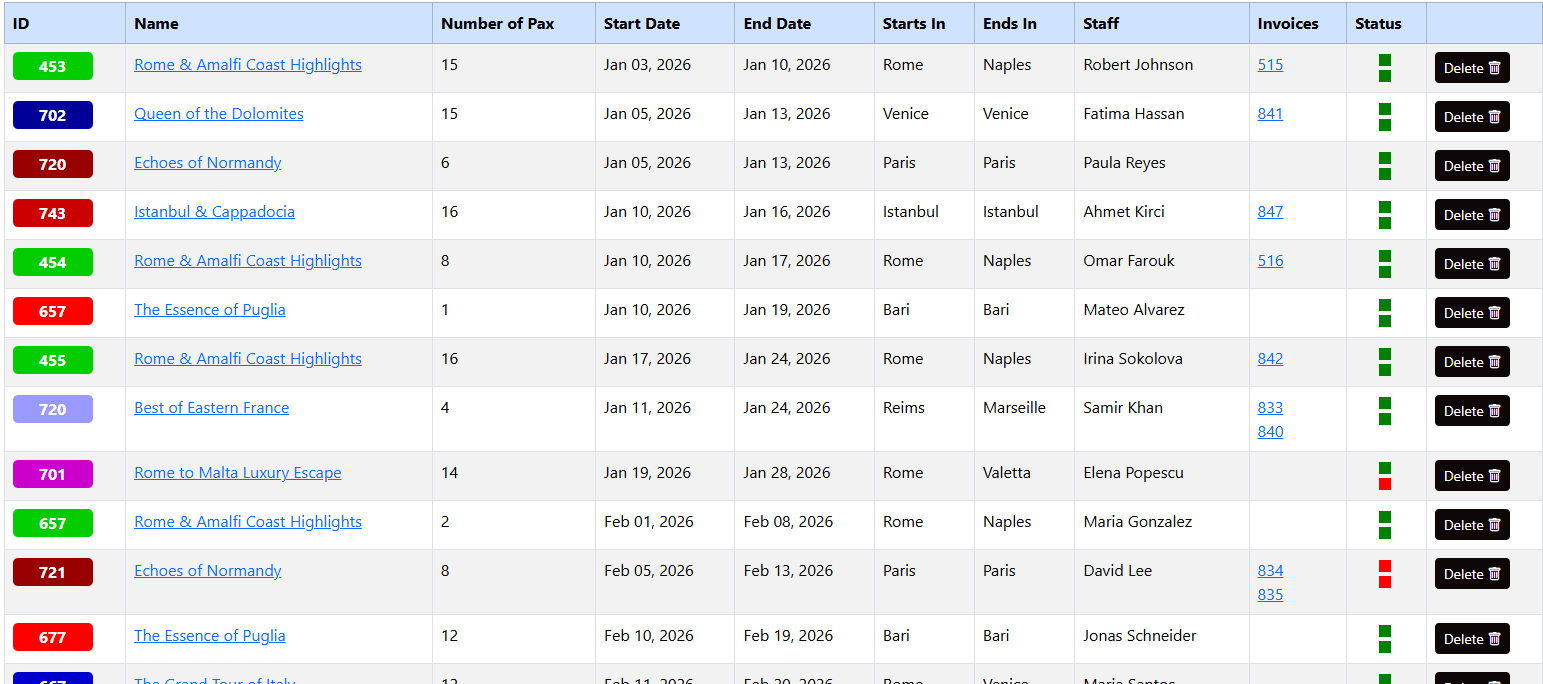
5. Tour List Table
Operational data for individual tour groups.
| Column | Description |
|---|---|
| ID / Color | Unique tour ID with color-coding for categorization. Color coding can be used to categorize tours based on destinations, activities or agencies. |
| Dates & Pax | Start/End dates and total number of passengers (Pax). |
| Staff | The guide, region manager or driver assigned to the tour. |
| Invoices | Direct links to generated billing for that tour group. |
| Status | Visual indicator (Green/Red) of the tour. First box is for staff, green is staff organization is done, red is not done. Second box is for reservations of accommodations, transfers and flights. If all reservations are done, you can update the status on tour's detail page. |
Was this helpful?
Last updated January 2026