Tours
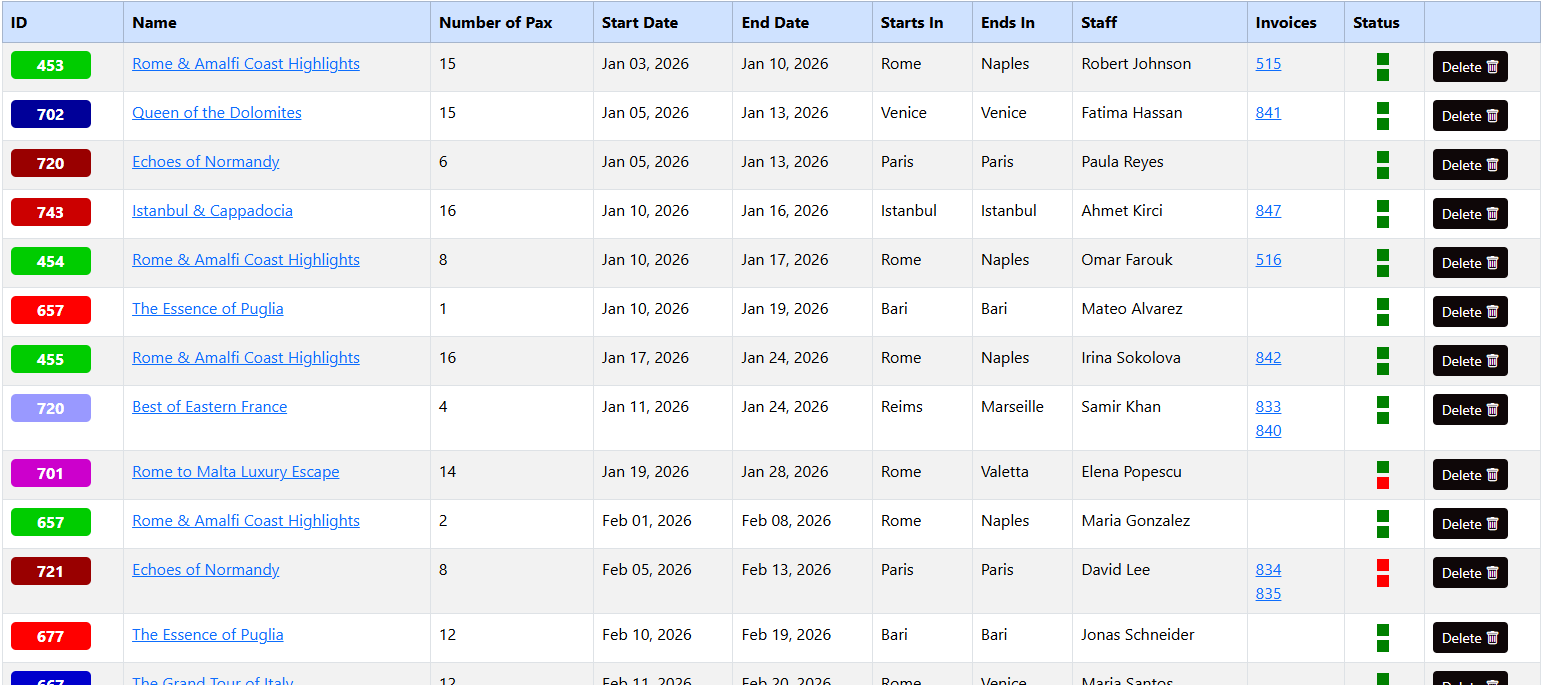
| Column | Description |
|---|---|
| ID / Color | Unique tour ID with color-coding for categorization. Color coding can be used to categorize tours based on destinations, activities or agencies. |
| Name | Name of the tour. |
| Number of Pax | Total number of clients (Pax). |
| Dates | Start/End dates. |
| Destinations | Start/End destinations of the tour. |
| Staff | The guide, region manager or driver assigned to the tour. |
| Invoices | Direct links to generated billing for that tour group. |
| Status | Visual indicator (Green/Red) of the tour. First box is for staff, green is staff organization is done, red is not done. Second box is for reservations of accommodations, transfers and flights. If all reservations are done, you can update the status on tour's detail page. |
Detail
General information of the tour.
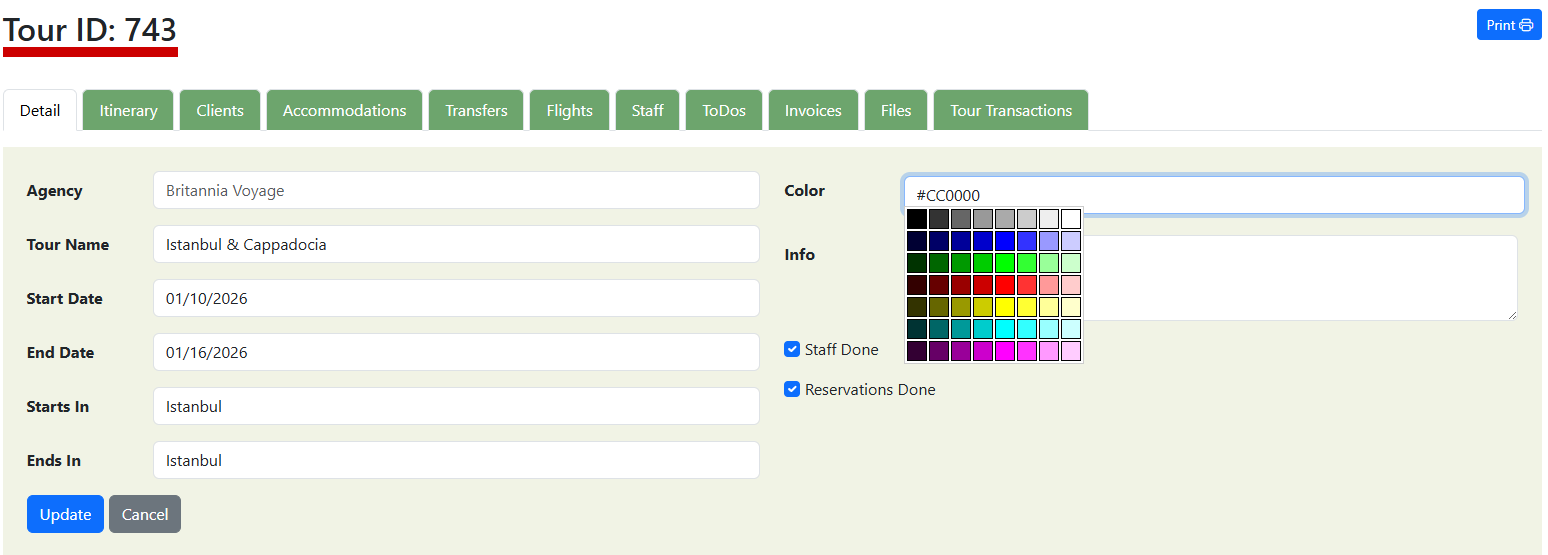
Color
Color coding can be used to categorize tours based on destinations, activities or agencies. This color will be displayed on the tour listing page and calendar view.
Staff Done
Check if staff organization is done.
Reservations Done
Check if reservations of accommodations, transfers and flights are done.
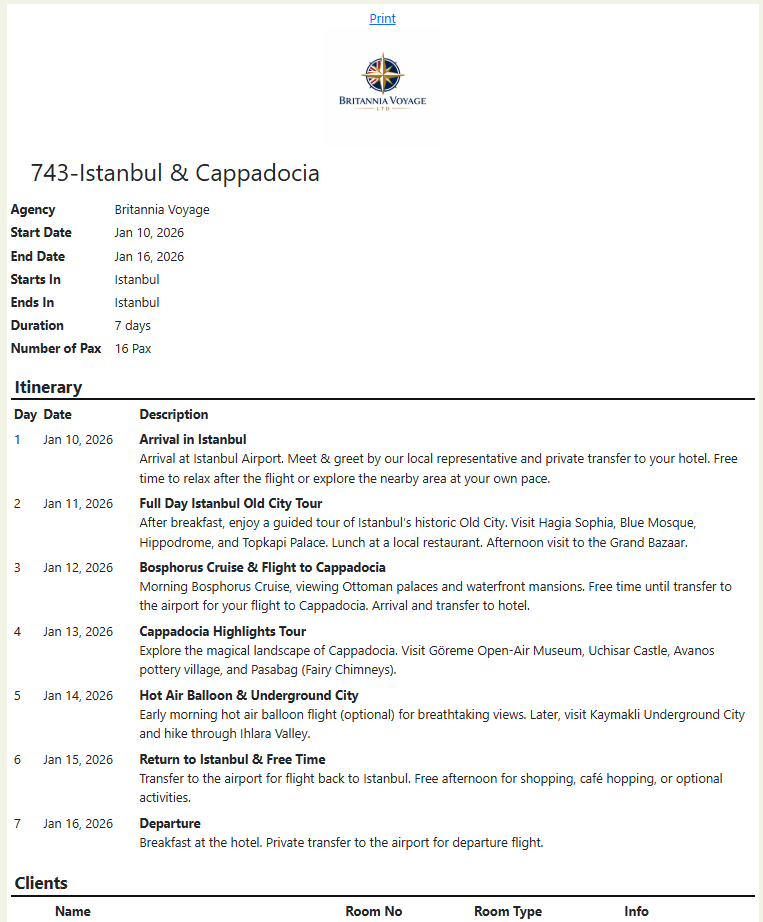
All the details of the tour in 1 page. Usefull to share with guide.
Was this helpful?
Last updated January 2026