Itineraries
The Itineraries module allows you to create, organize, and present detailed day-by-day travel plans for your tours. It helps operators manage logistics internally while also producing clear, professional itineraries for clients.
Summary
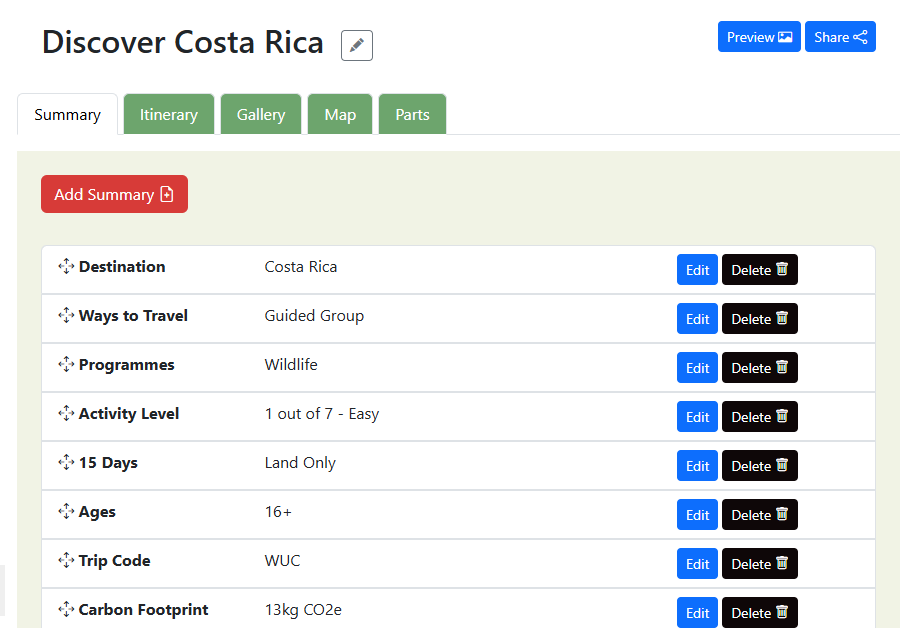
The Trip Summary section provides a structured overview of key information for a tour or trip. It allows administrators to quickly define, review, and manage the essential attributes that describe the trip experience for customers.
Drag Handle - Allows reordering of summary fields. Order affects how information is displayed to customers.
Itinerary
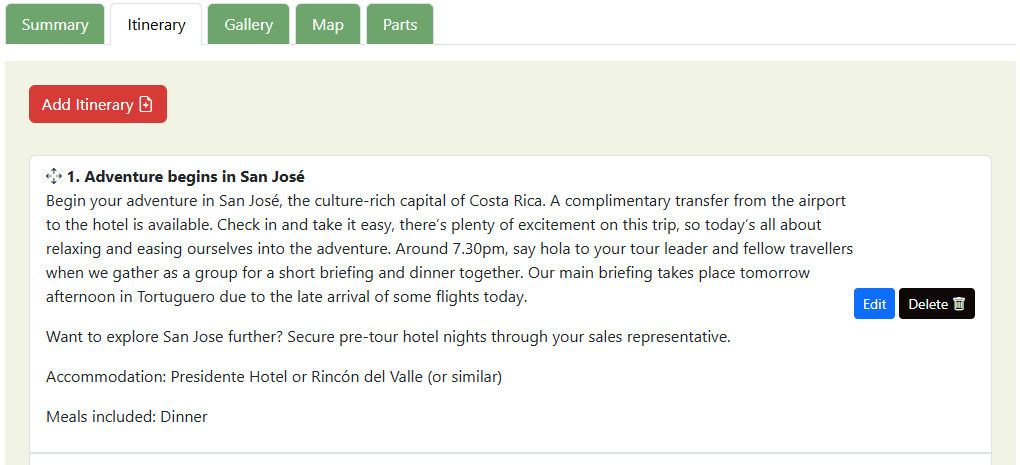
The Itinerary section is used to define the day-by-day structure of a trip. It allows administrators to create, organize, and manage each day’s activities, locations, accommodations, and descriptions in a clear chronological format. This section is essential for both internal planning and customer-facing trip presentation.
Gallery
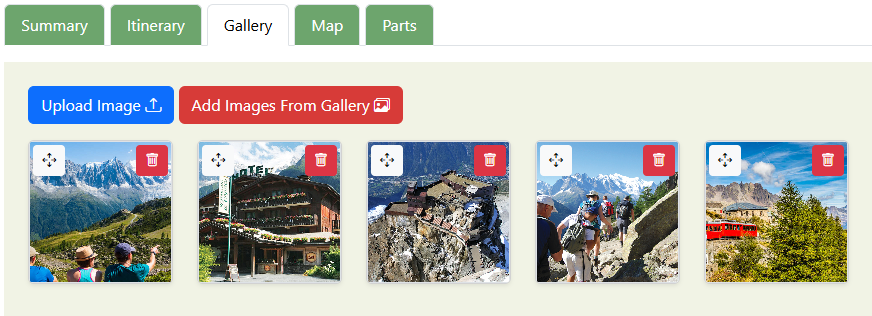
The Gallery section is used to manage and display visual content related to a trip. It allows administrators to upload, organize, and control images that enhance the trip presentation and help customers better understand the experience.
Map
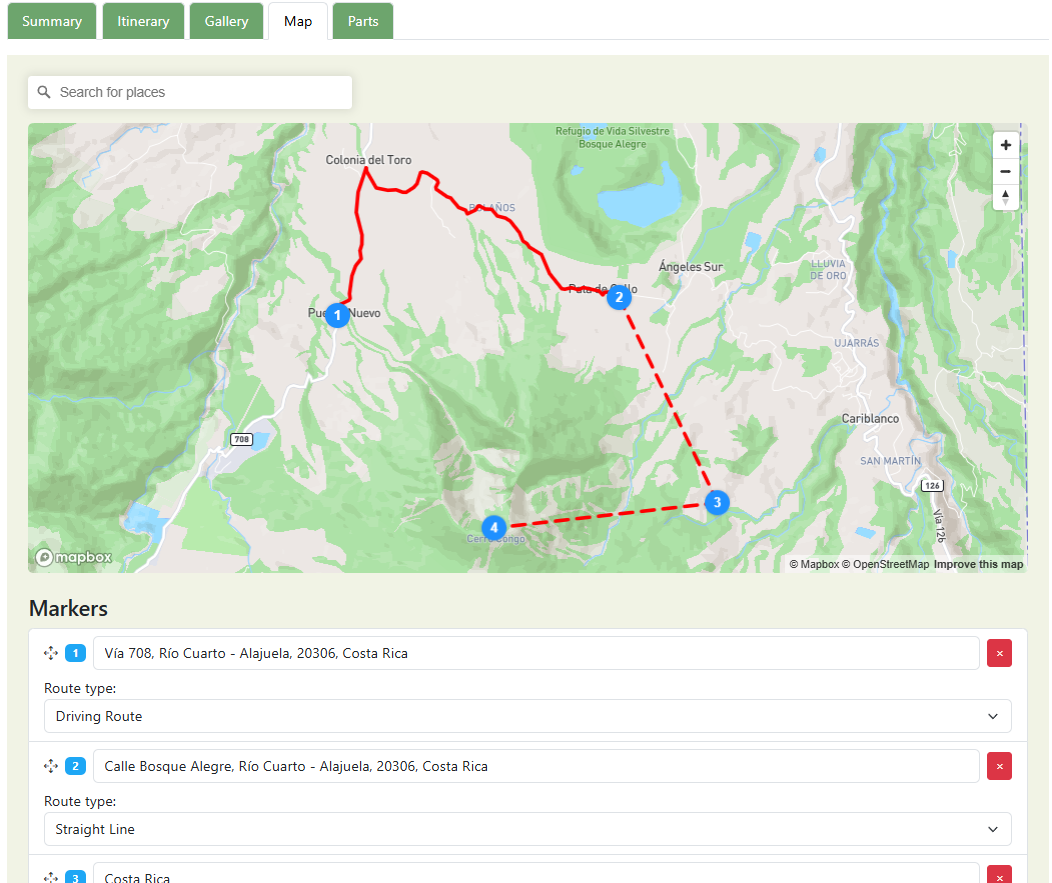
The Map section allows you to visually define and manage a trip’s route, locations, and movement between destinations. It provides an interactive map where markers, routes, and travel paths can be added and edited to clearly represent the itinerary.
Markers are added by - Searching for a place or clicking on the map.
Drag Handle - Allows reordering of markers.
Route types - Driving Route: Follows real roads and directions. Straight Line: Draws a direct line between locations. Can be used for hiking, biking or sailing routes.
Parts
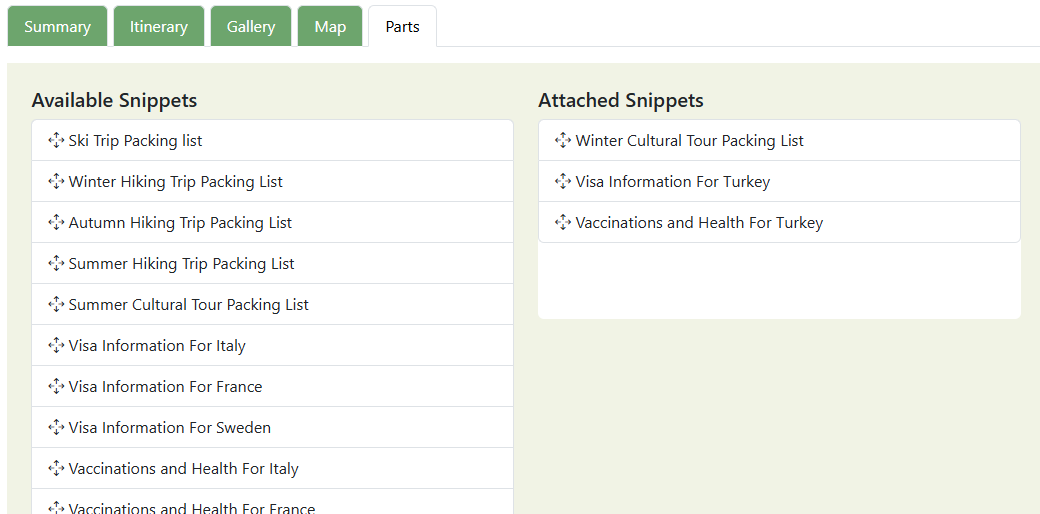
The Parts section allows you to attach reusable content snippets to a trip or itinerary. Snippets help standardize important information such as packing lists, visa requirements, health advice, and travel notes—saving time and ensuring consistency across trips. These snippets can be managed on the "Parts" section of the system. Accessible from the main menu. Each snippet is draggable. Snippets can be reused across multiple trips
Drag Handle - Allows carrying/reordering "Available Snippets" to "Attached Snippets".
Was this helpful?
Last updated January 2026